
Free and open source macOS 12 or later · Apple Silicon and Intel
PortReaper: see what is on every port of your Mac, and free it in one keystroke
~/shop-api $ npm run dev
Error: listen EADDRINUSE: address already in use :::3000
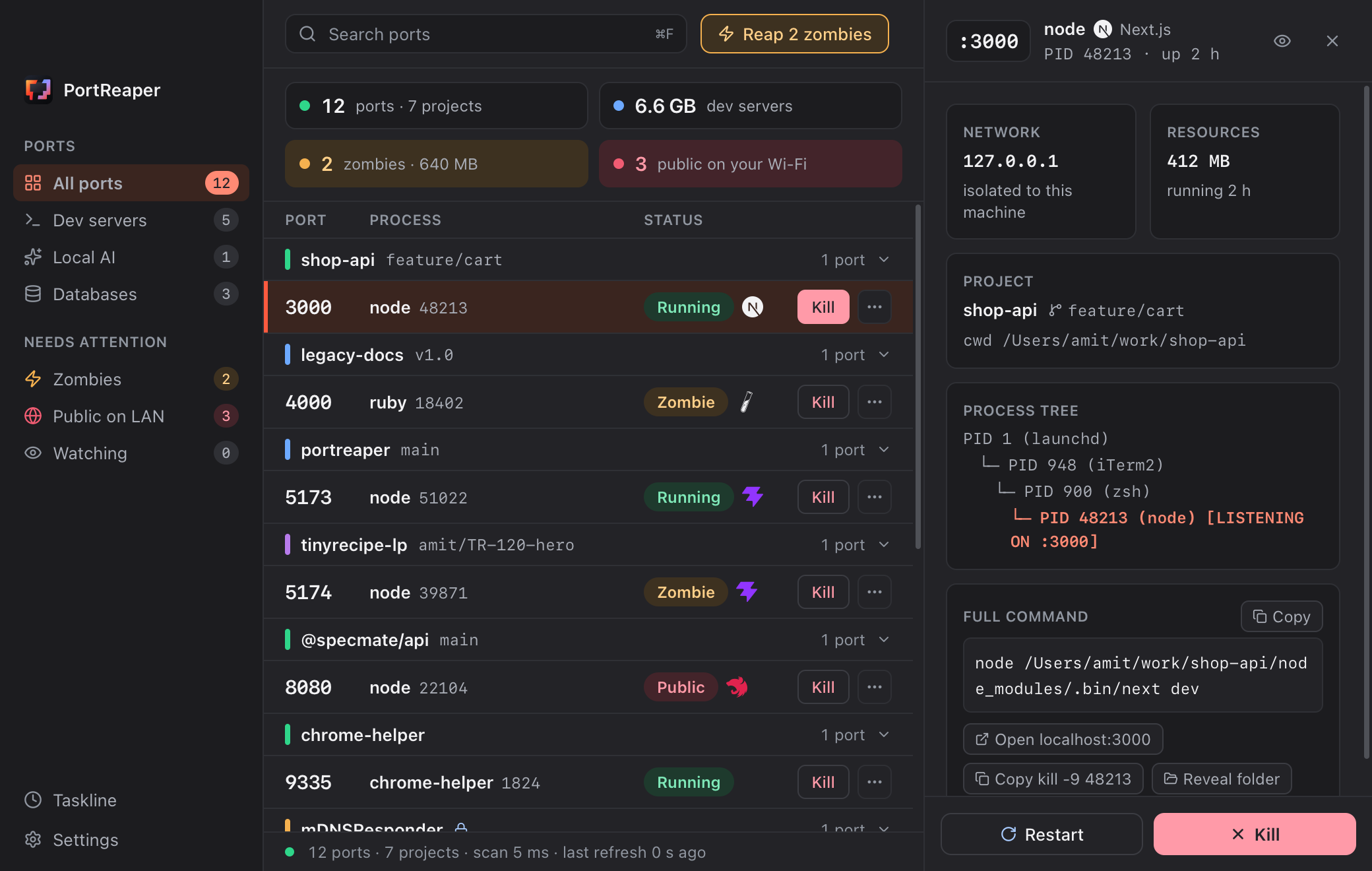
You know the ritual: lsof, squint at a PID, kill -9 and hope. PortReaper shows the project and git branch behind every port on your Mac, finds the processes your AI agents left running, and stops them in one keystroke.

Why lsof is not enough once AI agents share your terminal
Several Claude Code sessions, often on different git worktrees of the same project, each start their own helpers: MCP servers, a Playwright browser, Vitest workers, esbuild, rust-analyzer, and the dev servers. Sessions get stuck, terminals get closed, and the helpers stay behind. macOS re-parents them to launchd (PID 1), and they just sit there.
Many of them hold no port: MCP servers talk over stdio, so lsof -i never shows them. And when there is a port, the PID tells you nothing. Three worktrees of the same app all run node, on 3000, 3001 and 5173. Which one is the stale one?
Every port on your Mac, with the project and branch behind it
- :3000 → shop-api · feature/cart
The project and branch behind every port
Instead of
node 48213you seeshop-api · feature/cart · vite: the project from its manifest, the branch from.git/HEAD, worktrees included. With three worktrees running, you kill the right one. - ⌘⇧K
Port 3000, freed in two seconds from any app
A thin strip appears over whatever you are doing, with the port most likely in your way already selected. Type
3, press ↵, and focus is back in your terminal. - Zombie
Reaps what your AI agents leave behind
Dev servers whose terminal is gone, and portless
stdioorphans under PID 1:mcp-server-*,chrome-headless-shell,vitestworkers,esbuild,rust-analyzer. Badged with the RAM they hold, reaped in one click. - launchd
Knows what launchd will bring back
Kill an
ollamaunderbrew servicesand launchd starts it again ten seconds later. So such a job is never a zombie, and a kill launchd would undo asks first and offersbrew services stop. - Protected
Built to be trusted with kill
It never signals PID 0, PID 1 or itself. Databases, Docker and system daemons ask a second time, a Docker port gets
docker stopon its container, and every kill is logged and can be relaunched.
How PortReaper compares to lsof, Activity Monitor, kill-port and LeftOpen
| What you want to know | PortReaper | lsof -i + kill | Activity Monitor | kill-port | LeftOpen |
|---|---|---|---|---|---|
| The project and git branch behind a port | Project and branch | No | No | No | Project, not the branch |
| Leftovers that hold no port (stdio MCP servers, headless Chrome, test workers) | Yes | No | Listed as processes, with no hint | No | No (TCP listeners only) |
brew services and launchd jobs that come back after a kill | Asks first, offers the stop command | No | No | No | Warns, suggests brew services stop |
| One global shortcut to free the port in your way | ⌘⇧K | No | No | No | No |
| Docker | Names the container and stops it | No | No | No | Labels Docker's listeners |
| UDP | Yes | Yes | n/a | Yes | No (TCP only) |
| A command-line tool | No (planned) | Yes | No | Yes | Yes (leftopen) |
| Price and license | Free, MIT | Built in | Built in | Free, MIT (needs Node.js) | Free, MIT |
Compared on 17 November 2026 with LeftOpen v0.5.8, from its README and source. LeftOpen also does things PortReaper does not, such as fixed *.localhost URLs and starting a project that is not running. Corrections welcome: open an issue.
Questions about PortReaper
How do I see what’s using port 3000 on a Mac?
In the terminal, lsof -nP -iTCP:3000 -sTCP:LISTEN shows the PID listening on the port, and kill <pid> stops it. PortReaper shows the same thing with the project and git branch next to it, and frees the port with ⌘⇧K.
Why are node processes still running after I close Claude Code?
When the terminal or agent session that started a helper (an MCP server, a test runner, a dev server) goes away, macOS re-parents the helper to launchd, PID 1, and it keeps running. ps -axo pid,ppid,rss,command lists them with their parent PID; PortReaper flags the ones it recognizes as zombies and shows the RAM each one holds.
Is PortReaper free?
Yes. It’s open source under the MIT license, with no account and no analytics.
Download PortReaper for macOS
With Homebrew:
brew install --cask amitgal45/tap/portreaperIt opens the latest release: pick the .dmg file.
One universal app for Apple Silicon and Intel, macOS 12 or later, signed with a Developer ID and notarized by Apple. No account, no analytics and no sudo: the only network request is the update check, and updates are signed. Free, MIT licensed.